
Home > News > Industry News
Creative LED screens are transforming architectural spaces, but the unique "water drop" shape presents a specific challenge: you cannot simply reuse standard rectangular content. Because of its tapering top and rounded base, this teardrop geometry requires a specialized design approach to avoid distortion and visual clutter.
If you want to maximize the impact of your curved display, follow this expert guide to creating seamless, high-end visuals.
Before you open your design software, you must understand how the screen’s physics affects the viewer’s eye.
The Tapered Apex: This area is narrow with a tight viewing angle. Avoid placing text or critical info here. Instead, use this space for atmospheric elements like color gradients, light flares, or decorative accents.
The Lateral Arcs: Depending on the installation, the curved edges often face structural interference. Keep your primary subject matter away from the extreme left and right boundaries.
The Rounded Base: The lower half of the water drop serves as the natural visual anchor. This is where you should place your main imagery, call-to-action text, and logos.
To create a balanced look, designers should follow the "Top-Light, Bottom-Heavy" philosophy.
Design your visuals so the top remains ethereal and abstract—think flowing particles, soft halos, or liquid textures. As the eye moves downward, transition into "solid" content like high-definition product shots or bold typography.
Distortion is the enemy of curved screens. To maintain legibility, pull all critical elements toward the center. We recommend maintaining a 10%–15% safety margin on both the left and right sides to ensure your content looks natural from every angle.
Linear patterns, such as grids or horizontal bars, tend to warp painfully on curved surfaces. To hide the screen's physical curvature and make the display feel organic, lean into:
Fluid streamlines
Circular motifs
Organic, flowing motion
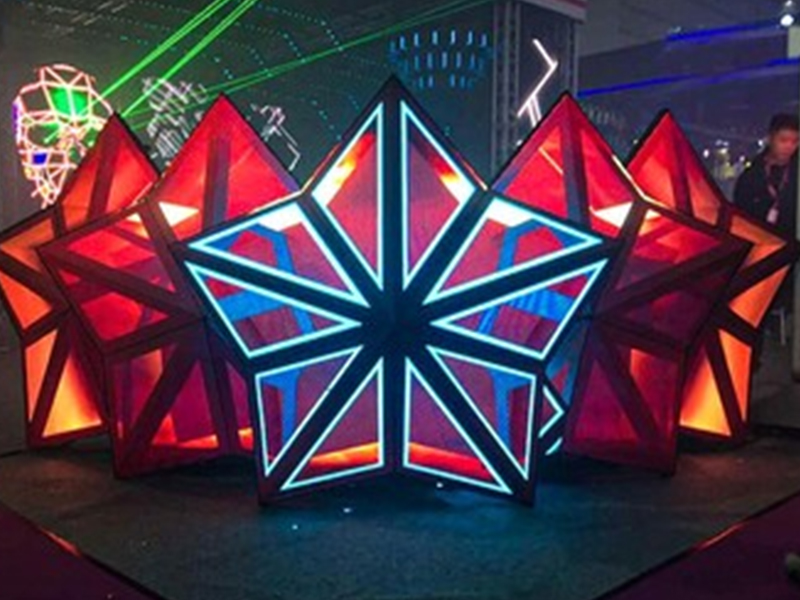
The shape itself implies movement and life. Use styles that complement this "droplet" identity:
Fluid Dynamics: Slow-motion water ripples or liquid gold flows.
Tech-Aesthetic: Moving particle lines and data-visualization "streams."
Artistic Abstraction: Nebulas, drifting smoke, or digital ink washes.
Vertical Storytelling: Since the screen is taller than it is wide, vertical posters and short-form mobile-style videos often translate best with minimal cropping.
Successful execution requires a technical roadmap:
Establish the Template: Create your project project using the specific resolution and mapping files provided by the LED manufacturer.
Layer the Layout: Overlay a guide that clearly marks the "Apex Zone," "Side Arcs," and "Center Safe Zone."
Animate the Flow: Build your background animations first, focusing on upward or downward flow to emphasize the verticality.
Anchor the Subject: Place your high-contrast products or messaging in the lower-center section.
The Simulator Check: Always run your content through a 3D simulator or a field test before the final export to check for stretching or unexpected cropping.
To keep your display looking professional, steer clear of these common mistakes:
Avoid Multi-line Text Blocks: Horizontal paragraphs or complex tables will look distorted and unreadable.
Ditch Rapid Cuts: Fast-paced, jittery editing clashes with the elegant, "liquid" nature of the screen.
Say No to Symmetry: Perfect symmetry is hard to achieve on non-rectilinear screens; organic, asymmetrical designs are much more forgiving and visually pleasing.
| Industry | Recommended Visual Strategy |
| Luxury Malls/Hotels | Soft water ripples + brand colors + elegant "Welcome" text. |
| Science Museums | Dynamic particle flows + floating data visualizations. |
| Product Launches | Central product focus + surrounding light "energy" flows. |
| Tourism/Night Tours | Nature-inspired scenes + artistic light-and-shadow play. |
The water drop LED screen is more than a monitor—it’s a digital sculpture. By aligning your content with the natural flow of the hardware, you create an experience that feels integrated rather than forced.
 EN
EN
 AR
AR
 BG
BG
 HR
HR
 CS
CS
 DA
DA
 NL
NL
 FI
FI
 FR
FR
 DE
DE
 EL
EL
 HI
HI
 IT
IT
 JA
JA
 KO
KO
 NO
NO
 PL
PL
 PT
PT
 RO
RO
 RU
RU
 ES
ES
 SV
SV
 TL
TL
 ID
ID
 SR
SR
 UK
UK
 VI
VI
 ET
ET
 HU
HU
 TH
TH
 TR
TR
 FA
FA
 AF
AF
 MS
MS
 GA
GA
 HY
HY
 AZ
AZ
 MN
MN
 UZ
UZ











