
Home > News > Industry News
Investing in a high-end video wall—whether it’s an LED display, LCD video wall, or projection system—should elevate your brand and captivate your audience. Yet many businesses overlook one critical factor: content quality.
You can install a six-figure display system, but if your content isn’t optimized, the result will still look cheap, laggy, or distorted. In fact, poorly designed content is one of the most common reasons video wall projects fail to deliver ROI.
In this guide, we’ll break down the real cost of bad video wall content—and more importantly, how to fix it.
A video wall is not just hardware—it’s a content delivery system. The screen itself only displays what you feed into it.
When content is poorly prepared:
As a result, your expensive display ends up undermining your brand instead of enhancing it.
The most immediate issue is visual quality.
If your content doesn’t match the screen’s specifications:
Even a premium LED video wall can look like a budget screen when content isn’t optimized.
First impressions matter—especially in retail, events, and corporate environments.
Bad content leads to:
On the other hand, well-optimized content can significantly increase dwell time and interaction rates.
Many companies invest heavily in high-resolution displays (4K, 8K, or beyond) but fail to provide matching content.
Common scenario:
This mismatch means you’re not utilizing the full capability of your system—essentially wasting your investment.
Poor content workflows often lead to ongoing inefficiencies:
Without proper content management systems, maintenance costs can quickly add up.
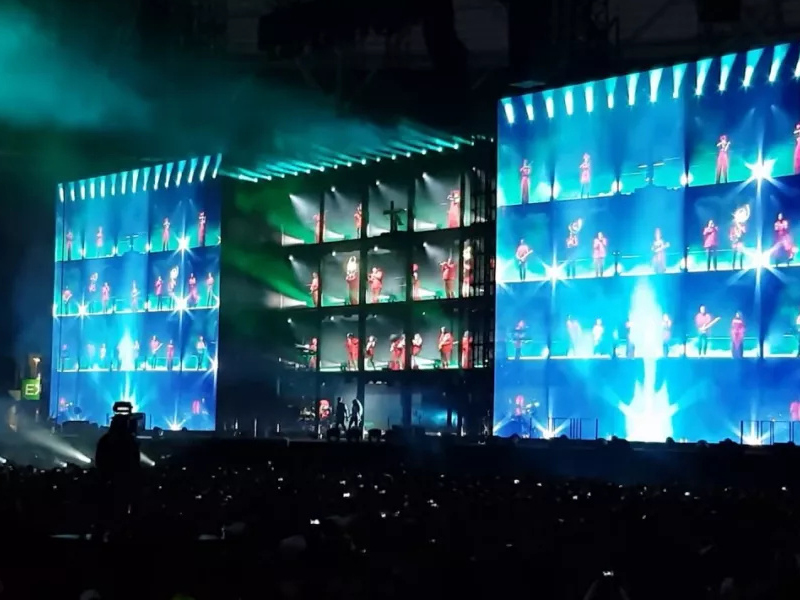
Avoid these frequent pitfalls:
Displaying 1080p content on a 4K or 8K screen leads to noticeable pixelation.
Content designed for 16:9 screens often looks stretched on custom LED walls.
Low bitrates may reduce file size but also destroy image quality.
Content designed in standard RGB may not match the display’s color profile, leading to dull or inaccurate colors.
Multi-panel displays require content that accounts for panel gaps or unique dimensions.
Always design content based on the exact pixel dimensions of your video wall—not just approximate size.
Choosing the right encoding format is critical:
| Codec | Best Use Case |
|---|---|
| H.264 | General use, compatibility |
| H.265 | High-resolution (4K/8K) with better compression |
| ProRes | High-end production and editing |
Mismatch = motion issues like stuttering or tearing.
Content should be adjusted based on:
Otherwise, what looks great on your laptop may look dull on a large LED wall.
Before creating content, lock in:
This ensures your content is built for the screen—not retrofitted later.
Avoid reusing social media or TV content. Instead:
Custom content always performs better.
Never rely solely on desktop previews.
Test for:
A professional CMS allows you to:
This reduces downtime and operational costs.
Great video wall content isn’t just about aesthetics—it’s about performance and optimization.
Ask yourself:
If the answer to any of these is “no,” you’re leaving value on the table.
The biggest mistake in video wall projects isn’t choosing the wrong display—it’s underestimating the importance of content.
Up to 80% of video wall issues stem from content, not hardware.
If you want to maximize ROI:
Because in the end, your audience doesn’t see your hardware—they see your content.
 EN
EN
 AR
AR
 BG
BG
 HR
HR
 CS
CS
 DA
DA
 NL
NL
 FI
FI
 FR
FR
 DE
DE
 EL
EL
 HI
HI
 IT
IT
 JA
JA
 KO
KO
 NO
NO
 PL
PL
 PT
PT
 RO
RO
 RU
RU
 ES
ES
 SV
SV
 TL
TL
 ID
ID
 SR
SR
 UK
UK
 VI
VI
 ET
ET
 HU
HU
 TH
TH
 TR
TR
 FA
FA
 AF
AF
 MS
MS
 GA
GA
 HY
HY
 AZ
AZ
 MN
MN
 UZ
UZ











