
Home > News > Industry News
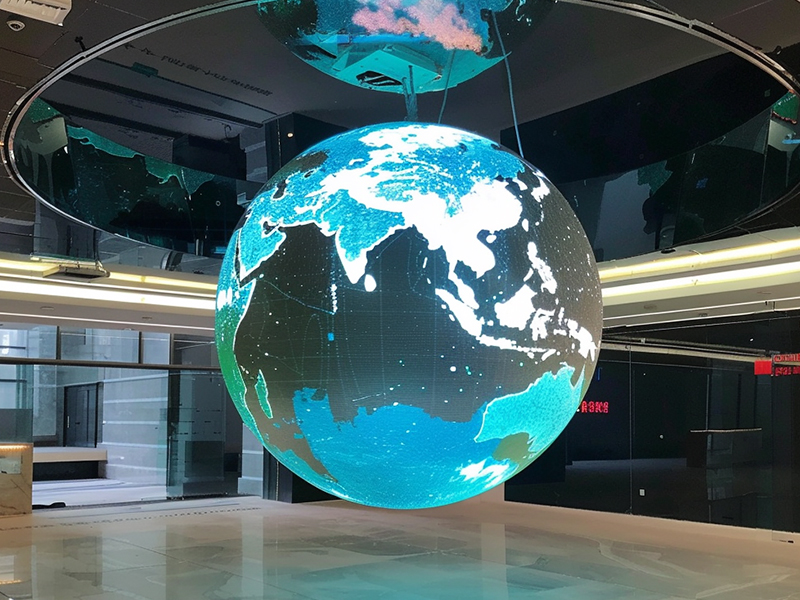
Sphere (or spherical) LED displays deliver stunning immersive visuals—but when content fails to load, the issue can disrupt an entire event. The root cause usually falls into two categories: software/signal problems or hardware failures.
If your technical team can’t reach the site in time, use the step-by-step checks below to quickly isolate and resolve the issue.
In most cases, loading failures come from incorrect configuration rather than hardware damage. So begin with the control system.
If the configured resolution does not match the actual physical layout of the sphere, the system cannot map pixels correctly.
What to check:
Fix:
Reconfigure the correct screen parameters in your LED control software.
1.2 Controller Model Mismatch
If the software is set to the wrong controller model or brand, communication will fail.
What to check:
Fix:
1.3 Sphere Mode / Pixel Mapping Not Enabled
Unlike flat LED screens, spherical displays require special mapping algorithms.
What to check:
Fix:
Enable spherical display mode or import the correct mapping file.
If configuration looks good but the screen still won’t load, move on to hardware diagnostics.
2.1 Power Supply Problems
Power instability is one of the most common causes of black screens or loading failure.
What to check:
Common issues:
Fix:
2.2 Signal Cable Errors
Signal transmission failures can completely block content loading.
What to check:
Fix:
Replace incorrect cables and re-secure all connections.
2.3 Control Card or Receiver Card Failure
These components handle signal processing and distribution.
Symptoms:
Fix:
If only part of the sphere fails, the issue is likely localized.
What to check:
Possible causes:
Fix:
Replace the defective module or IC.
2.5 Internal Connection Issues
Sphere LED screens often involve complex internal wiring due to their geometry.
What to check:
Fix:
Reconnect or replace unstable internal wiring.
If the screen still fails to load after all checks:
If necessary, send the controller or system hardware back to the manufacturer for professional diagnostics.
Sphere LED screens rely on precise coordination between software configuration, signal transmission, and hardware stability. Therefore, you should always troubleshoot in this order:
Software → Signal → Power → Hardware components
This structured approach helps you identify the root cause quickly and minimizes downtime during critical operations.
About Toosen
Toosen is an experienced LED display manufacturer specializing in custom creative LED solutions, including spherical, curved, and immersive displays. From concept to execution, the team delivers tailored designs that turn bold ideas into reality.
 EN
EN
 AR
AR
 BG
BG
 HR
HR
 CS
CS
 DA
DA
 NL
NL
 FI
FI
 FR
FR
 DE
DE
 EL
EL
 HI
HI
 IT
IT
 JA
JA
 KO
KO
 NO
NO
 PL
PL
 PT
PT
 RO
RO
 RU
RU
 ES
ES
 SV
SV
 TL
TL
 ID
ID
 SR
SR
 UK
UK
 VI
VI
 ET
ET
 HU
HU
 TH
TH
 TR
TR
 FA
FA
 AF
AF
 MS
MS
 GA
GA
 HY
HY
 AZ
AZ
 MN
MN
 UZ
UZ











