
Home > News > Industry News
When you choose an LED screen, two technical terms often appear: refresh rate and frame rate. Many buyers think they are the same, but they are not. In fact, these two numbers play different roles in image quality, video smoothness, and camera performance. Understanding them helps you make better decisions and avoid common problems like flickering, motion blur, or poor playback. In this guide, we explain what LED display refresh rate and frame rate mean, how they work, and what you should look for when buying an LED screen.
The refresh rate of an LED display refers to how many times the screen updates its image per second. We measure it in Hertz (Hz). For example:
1920Hz = the screen refreshes the image 1,920 times per second
3840Hz = the screen refreshes the image 3,840 times per second
A higher LED refresh rate means the screen updates more quickly. Therefore, the image looks more stable and smooth, especially when you record it with a camera.
Why Refresh Rate Matters
A high refresh rate can:
reduce flicker
improve video clarity
enhance eye comfort
provide stable images for live streaming and professional filming
Most modern LED displays use ≥1920Hz, while premium LED screens often use 3840Hz or even higher. For stage, broadcast, XR, or virtual production, many professionals prefer 7680Hz to avoid scan lines on camera.
The frame rate refers to how many images (frames) your content source sends to the display every second. It is usually expressed as FPS (frames per second). Common values include:
24fps (movies)
30fps (TV and basic videos)
60fps (sports, gaming, high-speed visuals)
120fps or more (professional esports, VR content)
In simple terms:
Refresh rate is the screen’s ability.
Frame rate is the content’s speed.
Even if your LED display supports a high refresh rate, the image still depends on the frame rate of the video source. If your content is only 30fps, the screen cannot “create” more frames unless AI motion interpolation is used.
Although both values measure frequency, they affect different aspects of the viewing experience.
Refresh Rate Affects:
screen stability
flicker level
camera shooting performance
visual comfort
Frame Rate Affects:
motion smoothness
video realism
clarity during fast movement
gaming performance
If you play a 60fps video on a 3840Hz LED screen:
the frame rate (60fps) controls the motion
the refresh rate (3840Hz) ensures the LED screen displays each frame clearly and without flicker
Both must work together to achieve the best image quality.
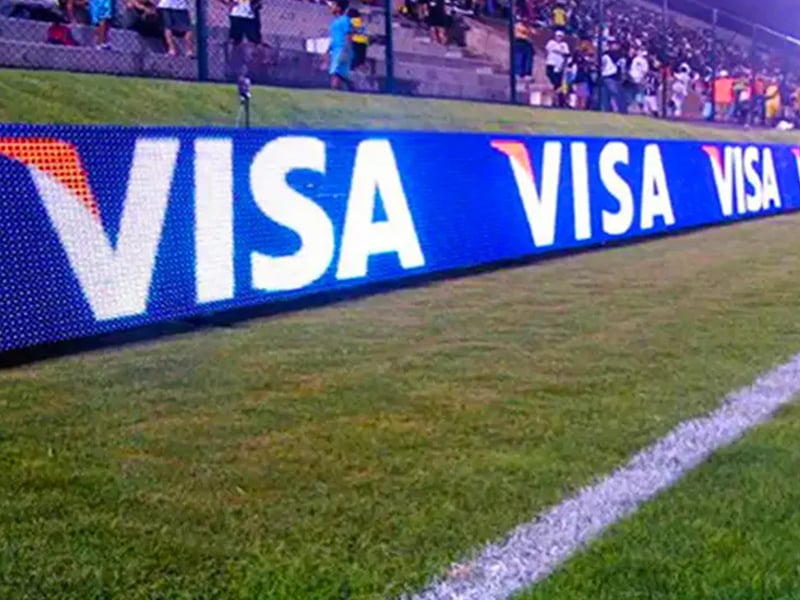
A higher refresh rate brings many real benefits, especially in professional use. Here are the most important ones:
1. Better Performance on Camera
Low refresh rate LED screens often show:
black scan lines
flickering
flashing patterns
When used for live broadcast, TV shows, concerts, or XR film studios, these issues are unacceptable. A high refresh rate (≥3840Hz) helps you avoid these problems.
2. Smooth Visual Experience
A higher refresh rate makes images appear more solid and stable. As a result, your audience feels more comfortable, especially when watching for a long time.
3. Improved Motion Clarity
Although motion clarity depends mainly on frame rate, a high refresh rate helps the screen display each frame more accurately. This reduces motion blur and jitter.
4. More Professional Branding Experience
Retail stores, museums, airports, and high-end exhibitions often choose high refresh rate LED screens because smoother visuals help build a premium and modern brand image.
To understand how your LED display works, think of the workflow:
Your content source outputs a frame rate (24fps, 30fps, 60fps...).
The LED receiving card processes the signal.
The LED driver IC determines how fast the screen refreshes.
The LED panel shows the final image.
If any part is low quality, you may get flickering, smearing, or unstable brightness.
Therefore, you should choose:
a reliable LED driver IC
a high-performance control system
a screen with a refresh rate that matches your application
This ensures your LED screen performs well in real-world use.
Choosing the right refresh rate depends on your application. Here are clear recommendations:
Indoor advertising / retail displays: ≥1920Hz
Outdoor LED billboards: ≥1920Hz (higher is better in bright environments)
Stage events & concerts: ≥3840Hz
Live streaming, TV studios, XR / virtual production: ≥7680Hz
Sports arenas: ≥3840Hz–7680Hz
Airport / museum / exhibition displays: ≥3840Hz
If you record the screen with your phone and see flicker, choose a higher refresh rate.
Many buyers think a high refresh rate automatically means better image quality. However, this is not always true.
Misunderstanding 1:
“3840Hz looks better than 1920Hz in all cases.”
→ Not always. If your content is low-quality (e.g., 720p), the difference may be small.
Misunderstanding 2:
“A high refresh rate increases motion smoothness.”
→ Smoothness mainly depends on frame rate, not refresh rate.
Misunderstanding 3:
“All 3840Hz screens perform the same.”
→ False. LED driver IC quality varies greatly between brands.
Understanding these points helps you avoid marketing traps and choose a screen that truly fits your needs.
Refresh rate and frame rate are two different but equally important factors in LED display performance. The refresh rate affects screen stability and camera performance, while the frame rate affects motion smoothness. When both values match your application, your LED display will offer clear, smooth, and flicker-free visuals. Whether you are buying an LED screen for retail, events, studios, or outdoor advertising, choosing the right refresh rate and ensuring high-quality control systems will always help you get the best results.
 EN
EN
 AR
AR
 BG
BG
 HR
HR
 CS
CS
 DA
DA
 NL
NL
 FI
FI
 FR
FR
 DE
DE
 EL
EL
 HI
HI
 IT
IT
 JA
JA
 KO
KO
 NO
NO
 PL
PL
 PT
PT
 RO
RO
 RU
RU
 ES
ES
 SV
SV
 TL
TL
 ID
ID
 SR
SR
 UK
UK
 VI
VI
 ET
ET
 HU
HU
 TH
TH
 TR
TR
 FA
FA
 AF
AF
 MS
MS
 GA
GA
 HY
HY
 AZ
AZ
 MN
MN
 UZ
UZ











