
Home > News > Industry News
Designing content for a circular LED screen is not just a matter of resizing a rectangular layout. If you simply “fit” standard content into a round canvas, stretching, cropping, and logo distortion become inevitable. To solve this, designers need to rethink composition, aspect ratio, and UI logic from the ground up.
Below is a structured approach to mastering circular LED screen content adaptation, with practical template strategies.
The most common mistake is designing in a standard 16:9 or 9:16 format and then masking it into a circle. This leads directly to edge loss and visual imbalance.
Instead, always:
Think of it as “designing for a circle inside a square,” not the other way around.
To prevent key elements like logos or text from being cut off or warped:
This layered approach ensures that logo deformation handling becomes predictable and controllable.
Stretching rectangular content into a circular format is the root cause of distortion. Instead, redesign layouts using radial composition principles:
For example:
Logos are the most sensitive elements in circular display design.
Best practices:
This approach ensures brand consistency while adapting to the creative display UI design requirements.
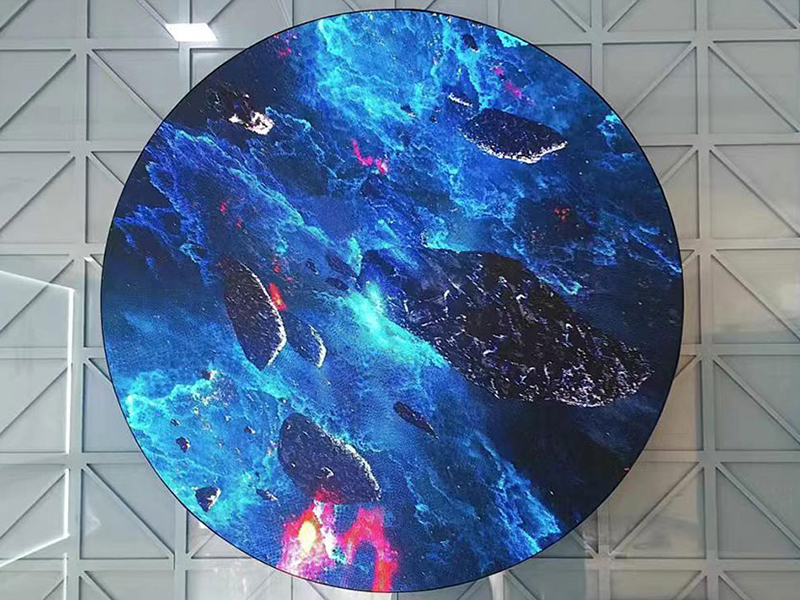
Circular screens naturally favor rotational and radial motion.
Leverage this by:
Avoid:
Motion that follows the geometry will feel smoother and more immersive.
To reduce trial-and-error during deployment:
This step is essential for catching issues related to circular LED screen aspect ratios before final output.
To standardize production, build reusable templates:
Template Structure Example:
With this system, designers can quickly adapt content without rethinking layout every time.
Avoiding distortion on circular LED displays requires a shift in design logic—from rectangular thinking to radial thinking. By controlling aspect ratio, protecting key elements with safe zones, and embracing circular UI composition, designers can eliminate stretching issues and unlock the full creative potential of round screens.
For brands investing in retail digital signage and creative display UI design, mastering circular content adaptation is not just a technical fix—it’s a competitive advantage.
 EN
EN
 AR
AR
 BG
BG
 HR
HR
 CS
CS
 DA
DA
 NL
NL
 FI
FI
 FR
FR
 DE
DE
 EL
EL
 HI
HI
 IT
IT
 JA
JA
 KO
KO
 NO
NO
 PL
PL
 PT
PT
 RO
RO
 RU
RU
 ES
ES
 SV
SV
 TL
TL
 ID
ID
 SR
SR
 UK
UK
 VI
VI
 ET
ET
 HU
HU
 TH
TH
 TR
TR
 FA
FA
 AF
AF
 MS
MS
 GA
GA
 HY
HY
 AZ
AZ
 MN
MN
 UZ
UZ











