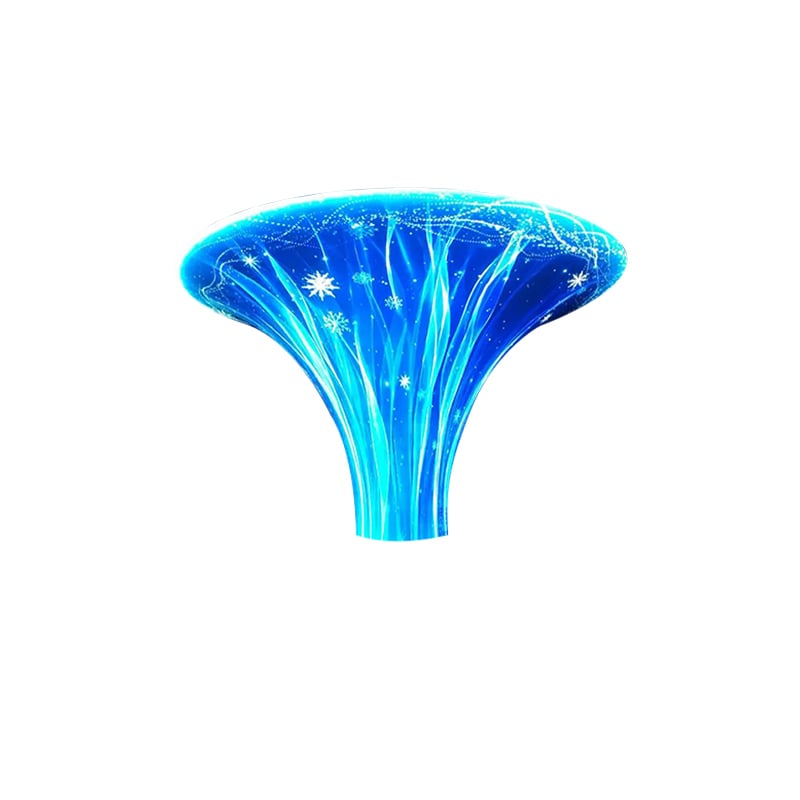
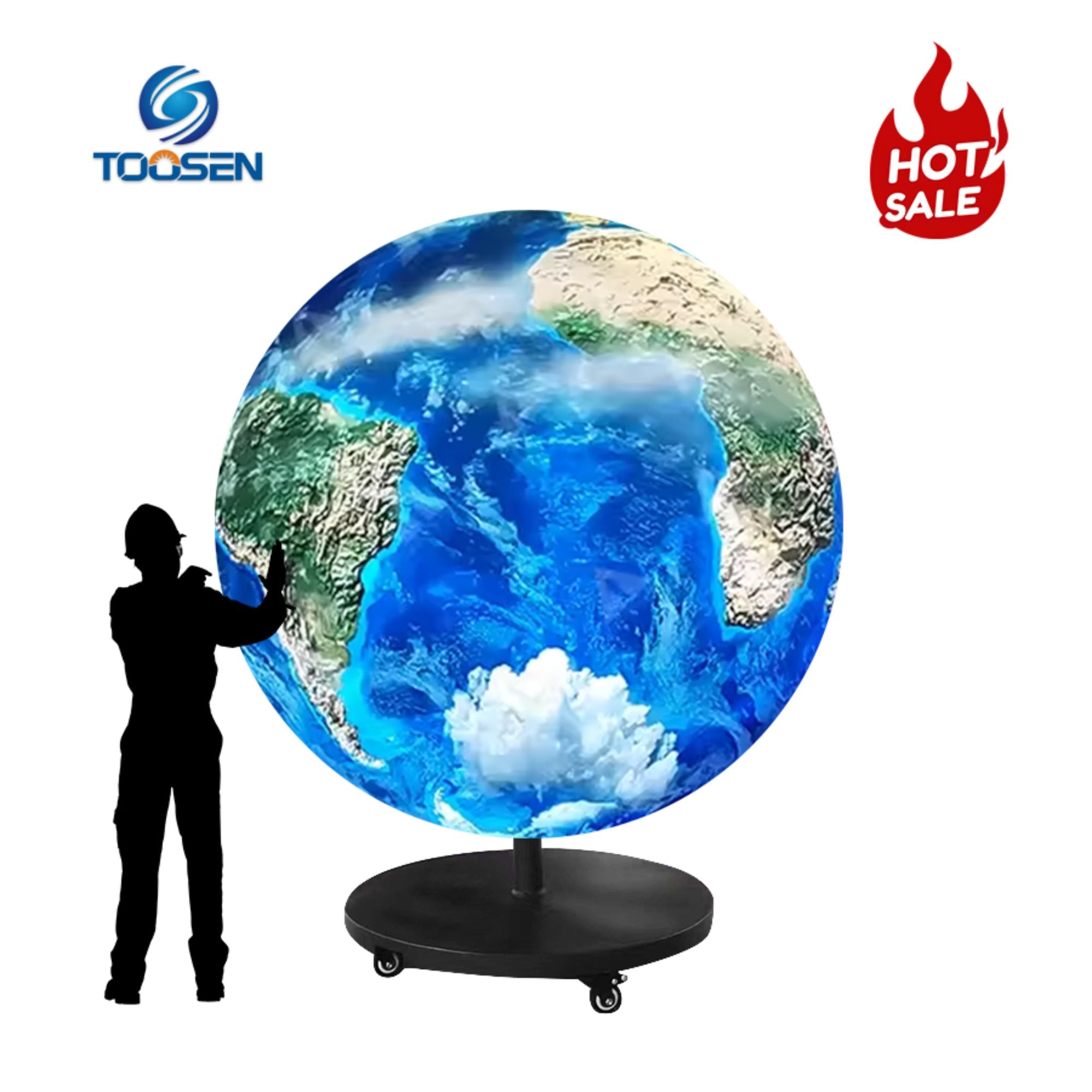
Kreiranje video za normalni LED zid je relativno jednostavno. Znate gdje su lijevi, desni, gornji i donji rubovi. Sferni LED displej je drugačiji. Sadržaj se okružuje zakrivljenom površinom od 360 stupnjeva, tako da mala pogreška u videu može postati vrlo primjetna kada se mapira na kuglu.
Jedan od najvećih izazova je stvaranje petlje koju gledatelji ne mogu lako otkriti.
Dobro za LED-ove sferama u tom slučaju, video-snimak mora biti u potpunosti povezan s početkom, a sadržaj mora se glatko okružiti sferom.
Evo praktičnog načina kako to napraviti.
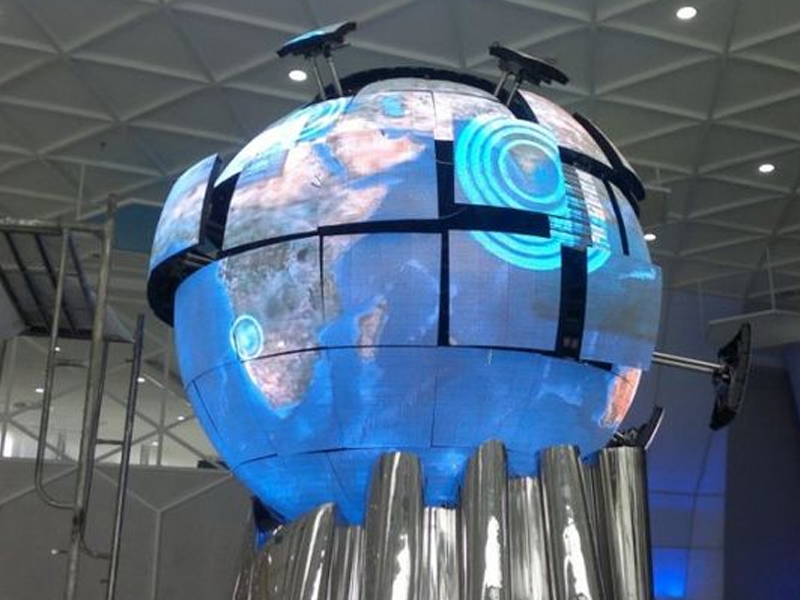
Sferni LED ekran može se promatrati iz mnogih smjerova. Za razliku od tradicionalnog pravougaonog displeja, on nema jedno fiksno prednje gledanje.
To čini ponavljajući se sadržaj očitijim.
Zamislite 15-sekundnu animaciju Zemlja koja se okreće. Na kraju videa, Zemlja se iznenada vratila na svoj izvorni položaj. Čak i ako skok traje samo djelić sekunde, gledatelji ga mogu primijetiti.
Može postojati i drugi problem: vidljiva vertikalna crta gdje se susreću dvije strane mapiranog sadržaja.
Zbog toga dobra LED kugla treba da se nosi i s vremenski kontinuitet i kontinuitet površine .
Ne počnite dizajnirati dok ne znate specifikacije ekrana.
Tražiti:
Prosečnik kugle i visina piksela izravno utječu na to koliko vizualnih detalja može prikazati ekran.
Primjerice, LED kugle s finim tonom mogu prikazati detaljniju grafiku i manje elemente dizajna. Veće razdaljine piksela bolje se uklapaju u žestoku grafiku koja se gleda iz većeg udaljenosti.
Ako želite detaljnije razumjeti ovaj odnos, pogledajte naš vodič o kako promjer LED kugle utječe na rezoluciju i sadržaj .
Kada projektirate Video sadržaj LED kugle -Trebam provjeriti dva šava.
Ovo je prijelaz između posljednjeg i prvog kadra.
Ako se predmet završi u potpuno drugom položaju od početka, animacija može skočiti svaki put kada se ponovi.
Jednostavan rješenje je dizajnirati ciklični pokret od početka.
Rotiranje je dobar primjer. Ako objekt počne na 0 stupnjeva i završi točno jednu rotaciju prije konačnog kadra, sljedeća petlja može početi prirodno.
Čestice, tekuće linije, valovi, oblaci i apstraktni uzorci također mogu dobro funkcionirati.
Drugi šav postoji zato što se ravna sadržina mora zavojiti oko kuglične površine.
Ovisno o metodi mapiranja, lijeva i desna strana izvorne slike mogu se na kraju susresti na kugli.
Ako se ove ivice ne poklapaju, može se pojaviti vidljiva linija.
Prije izvoza konačnog sadržaja pažljivo provjerite lijevu i desnu rub. Boje, uzorci, svjetlost i pokretni predmeti trebaju prirodno nastaviti preko ove granice.
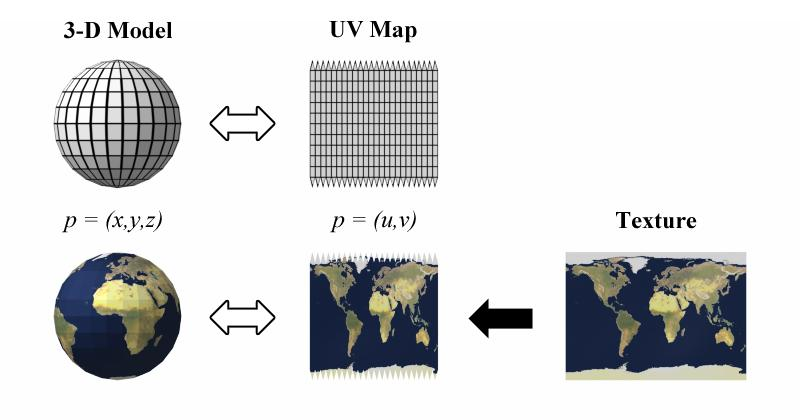
Ne treba jednostavno protezati standardni video u 16:9 na ekran.
A. sferni LED prikaz zahtijeva sadržaj koji slijedi njegov stvarni raspored piksela. Ovisno o projektu, to može uključivati UV kartu, jednakokutni raspored ili prilagođenu šablonu za mapiranje piksela koja se isporučuje za prikaz.
Svrha je jednostavna: dizajnirate ravnu izvornu datoteku koja će na kraju biti umotana oko trodimenzionalnog objekta.
Uvijek pogledajte ovaj kartografiju prije konačne isporuke.
Dizajn koji izgleda savršeno na vašem računaru možda izgleda potpuno drugačije kad ga zavučete oko LED kugle.
Gornji i donji dio kugle su teška područja za dizajn sadržaja.
Kada se ravna tekstura prikaže na kugli, sadržaj blizu sjevernog i južnog pola može postati komprimiran ili iskrivljen.
Ne stavljajte važne elemente kao što su:
-Upravo oko ovih područja.
Umjesto toga, koristite vizualne elemente koji mogu tolerirati distorziju. Oblaci, zvijezde, čestice, voda, svjetlosni efekti i apstraktne teksture obično su više oprosta.
Logotip, tekst i informacije o ključnim proizvodima držite blizu glavnih područja za gledanje.
Najlakša je bezšema petlja koja je dizajnirana da se ponavlja od početka.
Umjesto da završite jednu scenu i ponovno započnete drugu, razmišljate u krugovima.
Dobri primjeri uključuju rotirajuće planete, orbitujuće objekte, tekuće čestice, kretanje svjetlosnih traka, ponavljajuće geometrijske uzorke, rotacijske logote i neprekidne valove.
Za oglas proizvoda, možda ćete imati bocu koja se polako okreće dok se čestice kreću oko nje. Kada se oba pokreta vrate na početne položaje na kraju vremenske linije, animacija se može ponoviti bez očiglednog presjeka.
To se posebno dobro primjenjuje na sajmove, trgovačke centre, muzeje, trgovinske prostore i brendirane instalacije.
Ne oslanjajte se samo na ravnu kompoziciju.
Uvezite sadržaj u softver koji vam omogućuje da ga pregledate na 3D kugli. Blender je koristan za provjeru UV kartiranja i distorzije, dok se After Effects obično koristi za stvaranje grafikona krugova.
Za vrijeme pregleda, okrenite virtuelnu kuglu i pregledajte je iz nekoliko uglova.
Tražite:
Korigiranje tih problema prije konačnog izlaza štedi vrijeme tijekom instalacije.
3D pregled je koristan, ali konačni test uvijek treba provesti na stvarnom displeju kad god je to moguće.
Stvarno sferni LED zaslon uvozi faktore koje pregled na radnoj površini ne može u potpunosti reprodukirati, uključujući visinu piksela, udaljenost gledanja, svjetlost, raspored fizičkog modula i sustav obrade.
Provjeri sadržaj za nekoliko kompletnih petlja.
Ne gledaj samo iz jednog položaja. Prođi oko kugle i provjeri prijelaz iz različitih uglova gledanja.
Ako odmah možete prepoznati gdje se animacija ponovno pokreće, petlja još uvijek treba prilagoditi.
Jedna česta greška je uzeti postojeću pravougaonicu i ispružiti je preko kugle. Drugi se fokusira samo na prijelaz od prvog do posljednjeg kadra, ignorirajući šav oko površine.
Još jedan problem je previše poruka. Sferni LED ekran obično je bolji u stvaranju vizualnog utjecaja nego prikaz dugih poruka.
Također izbjegavajte završetak sadržaja bez testiranja na sfericnom pretprodaji. Što je vaš radni tok ravniji, to je lakše propustiti distorziju.
Jednostavan kontinuirani pokret obično radi bolje od kompliciranih promjena scene.
Zemljine animacije, efekti galaksija, tekuće čestice, rotirajući proizvodi, apstraktna grafika, efekti vode, pokretne linije i sporo okretanje logotipa su svi dobri izbori.
Cilj nije jednostavno ispuniti svaki pixel. Sadržaj bi trebao biti u skladu s oblikom ekrana.
Dobro dizajnirana kugla čini da gledatelji osjećaju da animacija pripada fizičkom objektu, a ne da je to ravni video koji je umotan oko njega.
Stvaranje za LED-ove sferama zahtijeva više od podudaranja prvih i posljednjih kadra.
Također morate uzeti u obzir prostorne šavove, mapiranje piksela, polno distorziju, rezoluciju, smjer kretanja i testiranje na stvarnom ekranu.
Počnite s specifikacijama LED kugle, izgradite animaciju oko njegove geometrije, pregledate rezultat u 3D i testirajte konačnu datoteku na displeju.
Kada se ovim koracima pravilno upravlja, petlja postaje teško primijetiti i kugličasti ekran se osjeća kao jedna kontinuirana digitalna površina.
AI Display pruža prilagođena LED displeja s kuglaskim i nepravilnim oblikom za unutarnje i vanjske projekte. U skladu s projektom mogu se konfigurirati različiti prečnici, raspon piksela, metode upravljanja i instalacijske strukture. Za projekte s velikim sadržajem, potvrđivanje specifikacija ekrana i mapiranje piksela prije proizvodnje sadržaja može olakšati cijeli radni tok.
Da, ali datoteka još uvijek mora odgovarati reprodukciju sustava i pixel-mapping zahtjeve. Normalni pravougaoni video može izgledati iskrivljeno ako nije pripremljen za kugličku površinu.
U slučaju da je to moguće, potrebno je utvrditi da je to moguće. Prvi i posljednji okvir trebaju se povezati prirodno, dok se granice koje se susreću na kugli također trebaju podudarati.
 EN
EN
 AR
AR
 BG
BG HR
HR
 CS
CS
 DA
DA
 NL
NL
 FI
FI FR
FR
 DE
DE EL
EL
 HI
HI
 IT
IT JA
JA
 KO
KO
 NO
NO PL
PL PT
PT RO
RO
 RU
RU
 ES
ES
 SV
SV
 TL
TL
 ID
ID
 SR
SR
 UK
UK VI
VI
 ET
ET
 HU
HU
 TH
TH
 TR
TR
 FA
FA
 AF
AF
 MS
MS
 GA
GA
 HY
HY
 AZ
AZ
 MN
MN
 UZ
UZ